We've recently updated our Terms of Service and Privacy Policy.

Your website is often the first interaction a potential customer has with your business. Visitors form opinions quickly, and small issues like slow load times, confusing navigation, or unclear messaging can drive them away before they ever contact you. These mistakes don’t just hurt conversions; they also weaken key signals that help visitors assess a website’s credibility, while reducing visibility in search engines.
Many small businesses don’t realize their website is working against them until leads slow down or competitors begin outranking them. The good news is that most of these issues are preventable and fixable with the right strategy.
One of the most common and damaging website mistakes is slow performance. Visitors expect websites to load quickly, especially on mobile devices. If your site takes more than a few seconds to load, many users will leave without interacting at all.
Google directly factors site speed into search rankings, making performance both a usability and SEO issue.
A more detailed breakdown of website performance improvements covers these steps in greater depth.
Another major mistake is treating mobile design as an afterthought. With most web traffic now coming from mobile devices, a site that works well on desktop but poorly on mobile is guaranteed to lose customers.
Google uses mobile-first indexing, meaning the mobile version of your site is the primary version evaluated for rankings.
Mobile usability is closely tied to professionalism and credibility, both of which influence how trustworthy a website appears to visitors.

If visitors can’t find what they’re looking for quickly, they leave. Confusing menus, vague labels, or cluttered navigation structures frustrate users and reduce engagement.
Strong navigation design is a core element of effective small business website design.
Many small business websites fail to clearly guide visitors toward the next step. Without strong CTAs, users may read your content but never take action.
Visitors need direction. Without it, they hesitate or leave.
Effective calls to action rely heavily on clear, persuasive website copy.
A surprisingly common mistake is failing to make contact information easy to find. If visitors can’t quickly determine how to reach you, trust drops immediately.
Legitimate businesses are transparent. Missing contact details can raise doubts about credibility and legitimacy, not to mention making it hard for prospective customers to get in touch with you.
Clear contact information is one of the fundamental trust signals a website can provide.
An SSL certificate is what encrypts data on your website and allows it to load securely using HTTPS instead of HTTP. Without SSL, information sent through your site, such as contact forms or payment details, is not protected. Modern browsers flag these sites as unsafe, which can immediately discourage visitors from continuing.
Running a website without SSL encryption is a serious mistake. Modern browsers actively warn users when a site is not secure, often before they interact with any content.
SSL is not optional. It’s a baseline requirement for website credibility, security, and user trust.
Websites with outdated content signal neglect. Old service descriptions, expired promotions, or inaccurate business details reduce trust and confuse users.
Outdated content makes visitors question whether your business is still active or reliable.
Maintaining accurate content supports usability, trust, and SEO.
Many small business websites fail to optimize for search engines at even a basic level. Without SEO fundamentals, your site may be invisible to potential customers.
SEO works best when combined with good design and strong website performance.
Design quality directly affects perceived credibility. Poor visuals make your business look unprofessional, even if your services are excellent.

Users associate visual quality with business quality.
Many of these improvements align with foundational website design best practices.
Forms are often the final step before a conversion. Overly complex forms discourage users from reaching out.
Simple forms increase completion rates and improve overall user experience.
Inconsistent branding confuses users and weakens trust. When colors, fonts, tone, or messaging change from page to page, the site feels disjointed.
Brand consistency plays a critical role in credibility and trust.
One of the biggest mistakes is assuming a website is finished once it’s launched. Websites require ongoing attention to remain effective.
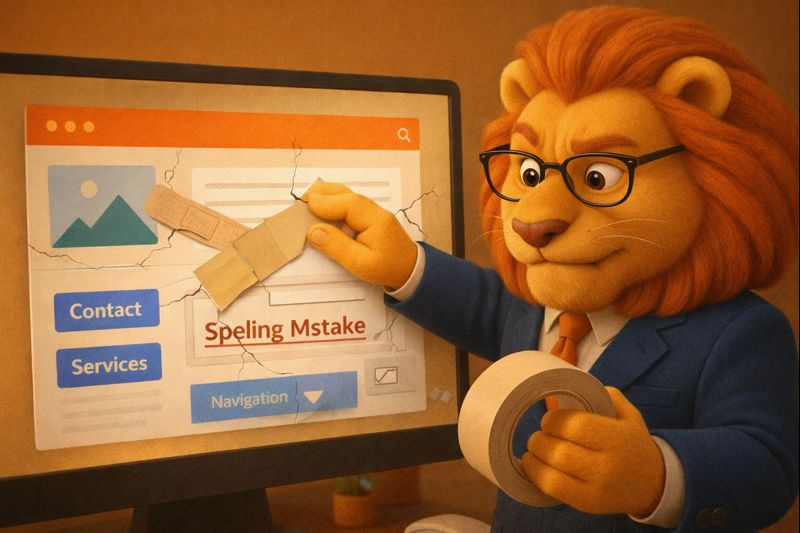
Neglecting maintenance leads to technical issues, security risks, and declining performance over time.
The most successful small business websites share a few common traits:
Addressing these areas proactively prevents the majority of website problems before they start.
Common website mistakes small businesses make are rarely intentional, but their impact is real. Slow load times, poor mobile usability, weak calls to action, missing trust signals, and outdated content quietly push potential customers away.
By identifying and correcting these issues, your website becomes more effective, more trustworthy, and more competitive. A well-maintained, thoughtfully designed website not only looks better, it performs better, supports your marketing efforts, and helps your business grow.
We’ll give you a call to set up time for your team and ours to meet virtually for a personalized demo.
Book a Demo


.png)
%20(1).png)
.svg)
.svg)



.png)
