
Business Email Etiquette: How to Sound Professional Without Losing Your Personality
November 19, 2025 · Updated October 30, 2026


Director of Digital Marketing
Good business email etiquette means writing messages that are clear, polite, and easy to act on. Use a real greeting, a specific subject line, one main topic, a clear next step, and a sign-off. You don't have to sound stiff. You just have to sound like a professional who respects the reader's time.
What is business email etiquette?
Business email etiquette is the set of habits that make your emails easy to read and easy to trust. It covers how you greet people, how long you write, the tone you use, how fast you reply, and how you follow up.
The goal isn't to sound formal. It's to sound clear, respectful, and human. Clients should finish your email knowing exactly what you need and feeling good about working with you.
Why does email etiquette still matter?
Email is still where most client work happens. You confirm appointments, follow up after calls, send documents, and stay in touch. About 4.7 billion people use email in 2026, according to estimates based on Radicati Group data, and that number keeps growing.
That also means your client's inbox is crowded. A clear, friendly email gets read and answered. A rushed or confusing one gets skipped, or worse, leaves the wrong impression about how you run your business.
How do you write a professional email that still sounds like you?
You don't need to write like a lawyer or a robot. These basics cover most situations:
- Start with a real greeting. "Hi Maria," or "Good morning, Josh," sets a warm tone. Skipping the greeting can feel cold, and "Hey" can feel too casual for a new client.
- Stick to one topic. Most people skim. One main point per email, in short paragraphs, makes your message easy to act on.
- Lead with the point. Put your question or request in the first two sentences, not the last paragraph.
- Write the way you talk. Read your email out loud. If a sentence sounds like something you'd never say to a client in person, rewrite it.
- Close with a clear next step. "Does Thursday at 2 work for you?" or "I'll check back next Tuesday if I haven't heard from you" tells the reader what happens next.
- Always sign off. A simple "Thanks, Alex" plus a signature with your name, business, and phone number makes your message feel complete.

What makes a good subject line for a business email?
A good subject line tells the reader what the email is about before they open it. Be specific and keep it short.
- "Follow-up from today's call" beats "Quick question."
- "Next steps for your renewal" beats "Touching base."
- "Documents needed by Friday" beats "Important!!"
If you reply to an old thread about a new topic, start a new email with a new subject line. It keeps things easy to find later.
How do you follow up without sounding pushy or passive-aggressive?
Some common phrases come across sharper than you mean them to. "Per my last email" and "Just checking in again" can read as impatient.
Try these instead:
- "Wanted to follow up on the quote I sent last week."
- "Thanks again for your time on Tuesday. One quick note on next steps."
- "Happy to answer any questions before you decide."
Give people a few business days before you follow up. Each follow-up should add something useful, like a reminder of the deadline, a new detail, or an easy way to say yes. For more ideas, see our guide on how to write a client check-in email that actually feels personal.
How quickly should you reply to a business email?
Aim to reply to clients within one business day. If you need more time to give a full answer, send a short note saying you got their message and when they can expect a real reply.
A fast "Got it, I'll have this to you by Thursday" builds more trust than a perfect answer that shows up a week later.
Is it OK to use AI to write business emails?
Yes, as long as you stay in charge of the final message. AI can help you get a first draft down, tighten a long email, or adjust your tone. It saves real time on routine messages.
Before you hit send, read every AI draft carefully:
- Check names, dates, prices, and any facts.
- Cut phrases that sound generic or that you'd never say.
- Add one personal detail only you would know, like a question about their recent move or their kid's graduation.
Clients can tell when an email feels canned. The best AI-assisted emails still sound like you wrote them.
What should you avoid in a business email?
A few habits can make even a well-meaning email feel careless:
- Lots of exclamation points
- All caps or all lowercase
- Hard-to-read fonts or text colors
- Big blocks of text with no breaks
- Jargon or acronyms your client might not know
- Emojis in formal emails, unless they truly fit your brand and the relationship
- Hitting "Reply all" when only one person needs your answer
Also think twice before putting sensitive details in an email. Health practices should never share patient information over regular email, and financial professionals should follow their firm's compliance rules for client communication. When in doubt, ask the client to call or use a secure portal.
How can email help you build stronger client relationships?
Every email is a small chance to build trust. A thoughtful note after a meeting, a quick thank-you after a referral, or a check-in when nothing is wrong all remind clients that you're paying attention. The trick is staying in touch often enough to stay top of mind without crowding their inbox. Our post on how to stay top of mind with clients without over-communicating covers how to find that balance, and how your email open rates stack up can show you whether people are reading what you send.
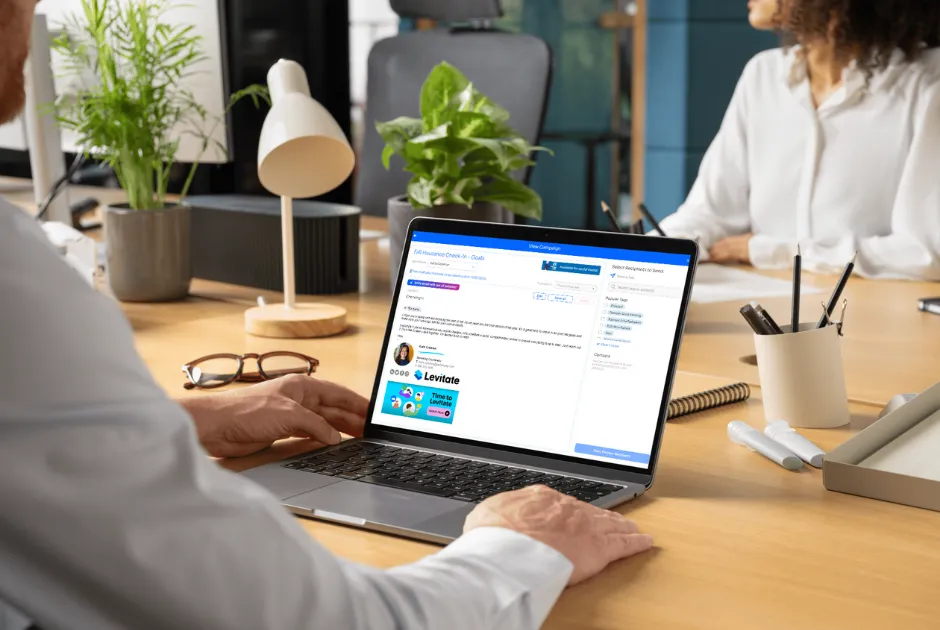
Good etiquette is easiest to keep up when your best emails are personal ones. Levitate's personal 1:1 email lets you send messages from your own inbox, in your own voice, with ready-made content as a starting point when you don't want to begin from a blank page. Your clients get a note that feels like it came from you, because it did. Book a demo to see how it fits into your day.
Frequently asked questions
Is "Hey" too casual for a business email?
It depends on the relationship. "Hey" is fine with a long-time client who writes to you that way, but "Hi" or "Hello" is safer for new clients and anyone you don't know well.
How long should a business email be?
Most business emails work best at five to seven sentences or fewer. If you need more than that, use short paragraphs or bullet points, or consider a quick phone call instead.
What is the best way to sign off a business email?
"Thanks," "Best," and "Talk soon" all work well for most client emails. Follow it with your name and a short signature that includes your business name and phone number.
Is it rude to say "per my last email"?
It often comes across as impatient, even when you don't mean it that way. "Following up on my note from Tuesday" makes the same point in a friendlier tone.
Should I use emojis in business emails?
Skip them in formal or first-time emails. With clients you know well, an occasional emoji can be fine if it matches your brand and how they write to you.