
12 Common Website Mistakes Small Businesses Can Avoid
February 25, 2026 · Updated November 13, 2026


Marketing Specialist
The most common small business website mistakes are slow load times, a poor mobile experience, confusing navigation, weak calls to action, and contact information that's hard to find. Others include no HTTPS, outdated content, skipped SEO basics, and treating the site as finished once it launches. Each one quietly costs you leads, and most are fixable without a full redesign.
Why do website mistakes cost small businesses so much?
Your website is often the first place a potential client meets your business. People decide quickly whether to stay, and small problems like a slow page or a vague headline can send them back to search results before they ever call.
These mistakes also hurt the signals visitors use to judge whether you're legitimate, and the signals Google uses to decide whether to show your site. Here are the 12 to check for, and how to fix each one.
Mistake 1: Is your website too slow to load?
Slow pages are one of the most damaging mistakes. Visitors expect pages to load fast, especially on phones, and a slow site loses people before they see what you offer.
Google measures page experience with Core Web Vitals. For a good experience, Google says to aim for:
- Largest Contentful Paint (loading): within 2.5 seconds
- Interaction to Next Paint (responsiveness): under 200 milliseconds
- Cumulative Layout Shift (visual stability): under 0.1
Google says good Core Web Vitals line up with what its core ranking systems seek to reward, so speed is both a usability issue and an SEO issue.
How to fix it:
- Compress and resize images before uploading
- Remove plugins, scripts, and widgets you don't use
- Turn on caching
- Choose quality hosting
- Check your scores in the Core Web Vitals report in Google Search Console
Mistake 2: Does your website work well on phones?
Treating mobile as an afterthought is a costly mistake. In the U.S., mobile devices made up 45.43% of web traffic in October 2026, according to StatCounter. That's nearly half your visitors.
Google also uses the mobile version of your site for indexing and ranking, which it calls mobile-first indexing. If your mobile site is missing content or hard to use, your rankings can suffer.
Common mobile issues:
- Text too small to read
- Buttons too small or too close together
- Menus that are hard to open or use
- Pages that don't resize to fit the screen
How to fix it:
- Use a responsive design that adjusts to any screen
- Test your key pages on a few different phones
- Make buttons and links easy to tap. The accessibility standard WCAG 2.2 sets a minimum target size of 24 by 24 CSS pixels.
- Simplify layouts for small screens
Mistake 3: Can visitors find what they need?

If people can't find what they came for quickly, they leave. Cluttered menus and vague labels frustrate visitors and bury your most important pages.
Signs of navigation problems:
- Too many menu items
- Labels that don't say what's on the page
- Important pages buried several clicks deep
- Menus that change from page to page
How to fix it:
- Keep the main menu to your essential pages
- Use plain, descriptive labels like "Services" and "Contact"
- Keep navigation the same across the site
- Put one clear call to action in the header
Mistake 4: Do your pages tell visitors what to do next?
Many small business sites never ask visitors to take a next step. People read your content and leave.
Weak calls to action (CTAs) look like:
- "Learn More" with no context
- A CTA only at the very bottom of the page
- Too many competing buttons
- No CTA at all
How to fix it:
- Use specific wording, like "Book a free consultation" or "Get a quote"
- Place CTAs near the top and repeat them down longer pages
- Match each CTA to the page (a service page should lead to booking that service)
- Pair the CTA with the benefit of taking that step
Good CTAs depend on clear copy. Our complete guide to writing effective website copy walks through it.
Mistake 5: Is your contact information hard to find?
If visitors can't quickly see how to reach you, trust drops and leads go elsewhere. Real businesses are easy to contact.
Common issues:
- No phone number on the page
- No address or service area listed
- A contact form that's buried or broken
- No business hours
How to fix it:
- Put your phone number and email in the header or footer of every page
- Create a simple contact page
- List your address or service area
- Test your contact form regularly to make sure messages arrive
Clear contact details are one of the basic signals that make a website trustworthy.
Mistake 6: Does your website still use HTTP instead of HTTPS?
An SSL/TLS certificate encrypts information sent through your site, like contact form details, and lets your pages load over HTTPS. Without it, browsers warn visitors before they read a word.
Since Chrome 68 in July 2018, Chrome has marked all HTTP sites as "Not secure" (Chromium Blog). Google has also used HTTPS as a ranking signal since 2014, though it called it a lightweight one at the time (Google Search Central).
How to fix it:
- Install an SSL certificate (many hosts include one at no extra cost)
- Make sure every page loads over HTTPS
- Redirect all HTTP addresses to HTTPS
- Check the HTTPS report in Google Search Console for pages that still have problems
Mistake 7: Is your website content out of date?
Old content signals neglect. Expired promotions, services you no longer offer, or wrong hours make visitors wonder if you're still open.
Examples:
- Blog posts with outdated information
- Services you've stopped offering
- Past events still promoted
- Hours that don't match your Google Business Profile
How to fix it:
- Review your key pages every few months
- Update service descriptions and pricing info
- Remove expired promotions and events
- Refresh older blog posts that still get traffic
Mistake 8: Are you skipping SEO basics?
Many small business sites miss simple SEO steps, which makes them hard to find in Google and AI search tools.
Common SEO mistakes:
- No clear topic or search phrase for each page
- Missing or duplicate page titles and meta descriptions
- Messy heading structure
- Copied or near-identical pages
- No links between related pages
How to fix it:
- Give each page one main topic and say it clearly in the title and first lines
- Use headings in a logical order
- Link related pages to each other
- Write original, helpful content that answers real client questions
- Set up Google Search Console to see what people search to find you
Mistake 9: Do your visuals make your business look unprofessional?
People judge your business by how your site looks. Blurry images and generic stock photos can make a great business look careless.

Common visual issues:
- Blurry or stretched images
- Overused stock photos
- Colors and styles that don't match
- Cluttered layouts
How to fix it:
- Use sharp, real photos of your team, office, and work when you can
- Keep colors and fonts consistent
- Give content room to breathe with white space
- Add descriptive alt text to images so screen readers and search engines understand them
Mistake 10: Are your forms too long or confusing?
Forms are often the last step before someone becomes a lead. Long or confusing forms make people give up.
Common form mistakes:
- Too many required fields
- Unclear labels or instructions
- Forms that are hard to fill out on a phone
- No confirmation after someone hits submit
How to fix it:
- Ask only for what you need to follow up (often name, email or phone, and a short message)
- Label every field clearly
- Test the form on a phone
- Show a clear thank-you message and say when you'll respond
Mistake 11: Is your branding inconsistent from page to page?
When colors, fonts, tone, or messages change from page to page, your site feels pieced together, and visitors trust it less.
Inconsistencies include:
- Different fonts on different pages
- Colors that don't match your logo or other materials
- A tone that shifts from formal to casual
- Different descriptions of what you do
How to fix it:
- Write simple brand guidelines (logo, colors, fonts, tone)
- Use the same fonts and colors everywhere. Our guide to choosing the best fonts for websites can help.
- Keep one consistent voice
- Repeat your core message across key pages
Mistake 12: Are you treating your website as "set it and forget it"?
The biggest mistake may be assuming a website is done once it launches. Websites need regular care to stay fast, secure, and accurate.
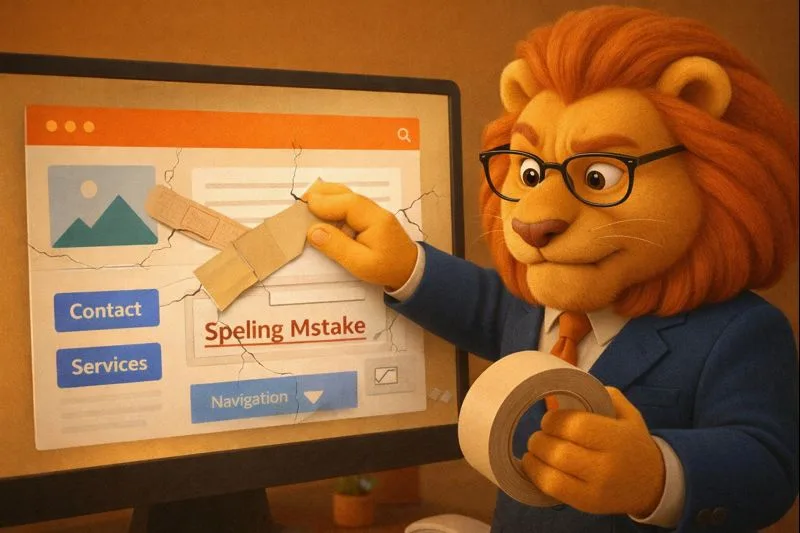
Ongoing needs include:
- Software and security updates
- Security monitoring
- Speed checks
- Content updates
- Small design improvements
Skipping maintenance leads to broken features, security risks, and slipping performance over time.
How do you keep these mistakes from coming back?
The strongest small business websites share a few habits:
- A clear goal for every page
- Solid design basics
- Regular maintenance
- Content written for real client questions
- Ongoing speed checks
Put a recurring reminder on your calendar to check your site's speed, forms, contact details, and key pages each quarter.
How can you keep your website from going stale?
Most of these mistakes come from a site that went live and then sat still. A Levitate website is built to keep working after launch: hosting and security are included, it's built for fast load times and clean structure, new blog posts keep it fresh, and you can request edits by chat instead of waiting on an agency. Every site also comes with an automated monthly report. A website is included with every Levitate plan.
See how Levitate websites work, or schedule a demo and we'll look at your current site together.
Frequently asked questions
What is the most common website mistake small businesses make?
Slow load times and a poor mobile experience are two of the most common. Both drive visitors away quickly and can hurt how your site performs in Google.
How fast should a small business website load?
Google recommends that the main content of a page load within 2.5 seconds (its Largest Contentful Paint measure). You can check your pages for free with the Core Web Vitals report in Google Search Console.
Does my website need an SSL certificate if I don't sell anything online?
Yes. Chrome marks every HTTP page as "Not secure," which can scare visitors away even if you only have a contact form. Many hosts include a certificate at no extra cost.
How often should I update my small business website?
Review key pages, contact details, and forms at least every few months, and update right away when your services, hours, or pricing change. Fresh, accurate content also helps your site stay useful in search.
Should I redesign my website or fix individual mistakes?
Start by fixing the biggest problems on your most visited pages, like speed, mobile layout, and calls to action. If the site is very outdated or hard to update, a redesign may be the better long-term choice.